
Monte Carlo Simulation for Trading Systems
Monte Carlo simulation for a trading system replays its trades, data or parameters thousands of times in random variations. Instead of one backtest, you see a spread of outcomes, especially how deep drawdowns could get.
By GSB Pro · Updated
On this page
- What Monte Carlo simulation does for a trading system
- Trade-order reshuffling
- Reading a drawdown distribution
- Randomised data and parameters
- Monte Carlo walk-forward in GSB
- Monte Carlo in the Enhanced Walk-Forward Optimizer
- How many Monte Carlo runs do you need?
- The limits of Monte Carlo
- Where Monte Carlo fits in a validation workflow
What Monte Carlo simulation does for a trading system
A backtest is one path through history. The same trades in a different order would have produced a different equity curve and a different worst drawdown. Monte Carlo simulation asks how wide that range of paths is.
It does this by repeating a test many times, changing something at random each time. Traders use three main kinds:
- Trade-order reshuffling: the same trade list in random orders, to see the range of drawdowns and equity paths.
- Randomised data: the system run on copies of the price data with small random changes.
- Randomised parameters: the system run, or walked forward, with settings nudged around their chosen values.
The first answers a sizing question: how bad could it get? The other two answer a robustness question: does the result depend on the exact prices or exact settings?
Trade-order reshuffling
This is the classic Monte Carlo test. Take the system's list of trade results, shuffle the order, and rebuild the equity curve. Do it hundreds or thousands of times and record each run's maximum drawdown and final result.
There are two common variations. Shuffling without replacement uses every trade exactly once, so the total profit never changes; only the path does. Resampling with replacement draws trades at random, so some appear twice and others not at all, which varies the total too.
The output is a distribution. You read it by confidence level: at 95%, 95 of every 100 simulated runs had a smaller drawdown than the figure shown. The backtest's own drawdown is usually somewhere near the middle, not at the bad end.
Reading a drawdown distribution
The practical use is sizing. If you size a system on its backtest drawdown, you are sizing for a typical outcome. Monte Carlo shows the worse ones you should be ready for.
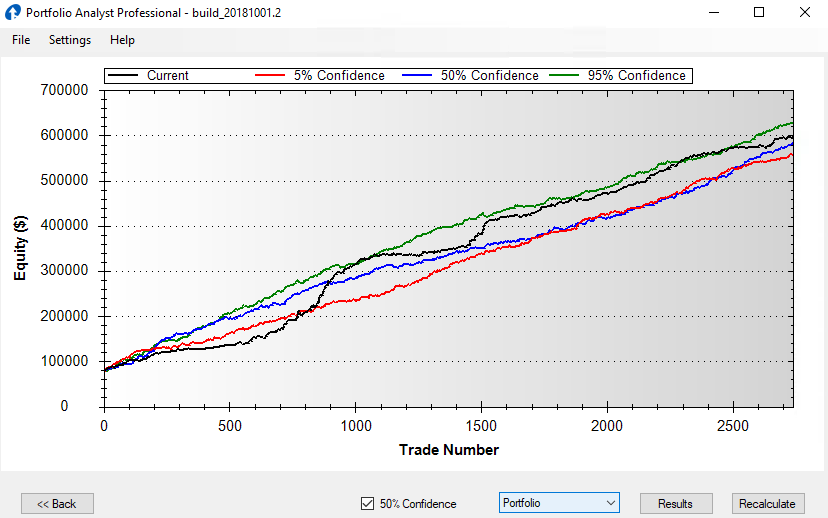
Trademaid's Portfolio Analyst Pro example used 500 samples. The maximum drawdown was about $7,000 at 50% confidence, over $10,000 at 95%, and nearly $16,000 in the worst run. These are simulations of past trades, not a forecast.
Hypothetical Performance Disclosure
The lesson is the gap. The worst simulated drawdown was more than twice the median one. The Portfolio Analyst Pro guide puts it plainly: check how deep the Monte Carlo drawdowns get before trading live. If that number would scare you, trade smaller.
It also helps when comparing systems. Two systems with similar backtests can have very different drawdown ranges. The one with the narrower range is easier to size, and easier to keep trading through a bad patch.
Randomised data and parameters
Reshuffling trades can't tell you whether the trades themselves were luck. For that, you change the inputs. A system fitted to the exact historical prices, or to one precise parameter value, should struggle when either moves a little.
Noise-added data is the common version. You make copies of the price data with small random changes and test the system on each. GSB can do this (Clone + Random Noise). But Peter Zwag, GSB's developer, said in January 2023 he has "zero faith" in random noise as validation.
His November 2024 Nasdaq test verified a 30-minute system on 15, 20, 40 and 60-minute data. That predicted out-of-sample results far better than noise did. So the Strategy Guide now treats noise as the older method. Details are in Validation and Robustness.
Randomised parameters test the neighbourhood around the chosen settings. A real edge usually works across a range of nearby values. A system that only works at one exact value is likely fitted to the past.
Monte Carlo walk-forward in GSB
GSB combines the parameter idea with walk-forward analysis. Build 68.45 (November 2024, refined in 68.57) added a Monte Carlo walk-forward. It runs a random-space walk-forward many times over, so you see the spread of walk-forward results rather than one result.
- Peter Zwag's settings: 1,000 iterations, a ±25% range, multi-threaded.
- How to read it: many results better and many worse is fine. Most results much worse is a red flag.
- It adds a Monte Carlo Sharpe ratio (MC-SR) column to the results grid.
- From build 68.64 the Monte Carlo metrics (without the lines) are calculated on every walk-forward, and can run on cloud workers.
- From build 68.70 the curves are off by default; tick the box on the walk-forward screen to show them.
Peter ran a test in January 2025. Systems that ranked well on both VSS (GSB's verification degradation score) and MC-SR had 36–44% better out-of-sample fitness than the worst group.
Hypothetical Performance Disclosure
Monte Carlo in the Enhanced Walk-Forward Optimizer
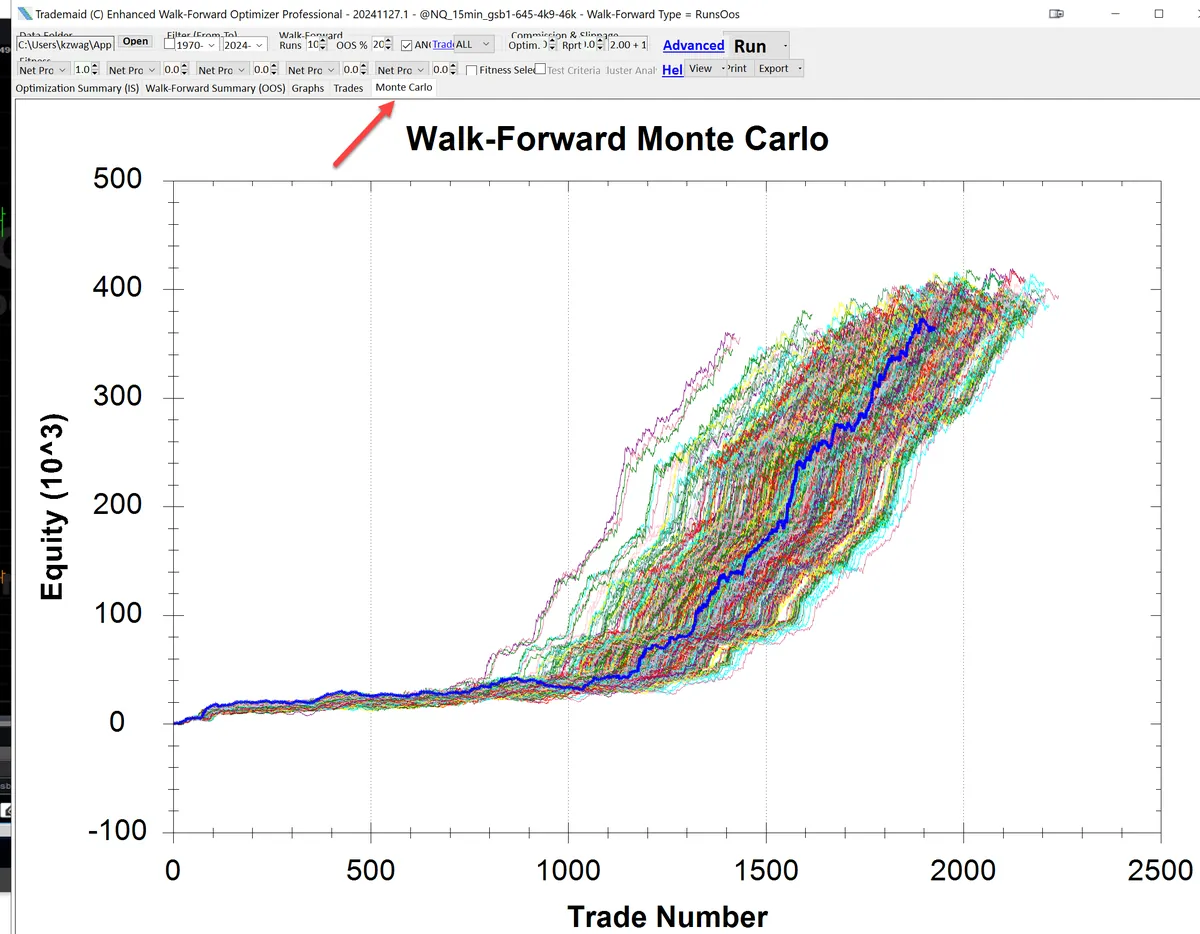
Trademaid's Enhanced Walk-Forward Optimizer (EWFO) is a separate product. Its November 2024 build added a Monte Carlo tab. It plots every walk-forward combination that was run against the final equity curve.
Hypothetical Performance Disclosure
Trademaid's reading: most curves above the blue line is good; more curves below it is poor. How the feature is switched on, and how many combinations it runs, isn't confirmed in Trademaid's help yet.
How many Monte Carlo runs do you need?
Enough that the answer stops moving. Run the simulation, note the figure you care about, then run it again with a different random seed. If the figure shifts noticeably, add runs and repeat.
The figure you care about matters. The median settles quickly. The bad tail, such as the 95% or 99% drawdown, rests on far fewer runs. It needs many more before it is steady.
For reference, Trademaid's tools use these counts in their examples:
| Tool | Monte Carlo type | Count in Trademaid's example |
|---|---|---|
| GSB Monte Carlo walk-forward | Randomised walk-forward parameters | 1,000 iterations (Peter Zwag's setting) |
| Portfolio Analyst Pro | Trade-based portfolio simulation | 500 samples |
Trademaid's help doesn't say how to change Portfolio Analyst Pro's number of samples or confidence levels, so check its current help if you need to.
The limits of Monte Carlo
- Garbage in, garbage out. Reshuffling a curve-fit backtest gives a precise range of outcomes for a system that never had an edge. Do the out-of-sample and walk-forward work first.
- Independence is assumed. Simple reshuffling treats trades as independent. Real trades cluster: losing streaks often come together when a market changes character.
- No new market conditions. Every simulated path is built from history. A market that behaves differently from anything in your data isn't in the distribution.
- Costs come from the backtest. If your slippage or commission assumptions are too low, every simulated run inherits the error.
- It can be gamed. Re-running until the picture looks good, or tuning a system to pass, turns the test into one more thing you fitted.
Robustness testing reduces the risk of trading an over-fitted system. It doesn't guarantee future results.
Where Monte Carlo fits in a validation workflow
In the GSB Strategy Guide, Monte Carlo comes after the main checks, not instead of them:
- Build with out-of-sample dates held back (build methodology).
- Walk-forward test the best members of each family (Walk-Forward Optimization).
- Run an identical second walk-forward and check it agrees.
- Verify on clearly different bar intervals, and run a Monte Carlo walk-forward (Validation and Robustness).
- Combine finished systems and check portfolio drawdowns with Monte Carlo in Portfolio Analyst Pro, a separate Trademaid add-on.
The Robustness Lab page summarises each check. To try them on your own market, start with the free trial and the free course.
Frequently asked questions
What is Monte Carlo simulation in trading?
It repeats a test of a trading system many times with something randomised, such as the order of trades, the price data or the parameters. The result is a range of outcomes instead of a single backtest.
How many Monte Carlo runs do you need?
Enough that the figure you care about stops changing when you re-run with a new random seed. Tail figures such as the 95% drawdown need more runs than the median; Trademaid's examples use 500 samples in Portfolio Analyst Pro and 1,000 iterations for GSB's Monte Carlo walk-forward.
Does Monte Carlo prove a trading system is robust?
No. Reshuffling a curve-fit backtest still describes a system with no edge, and simple reshuffling assumes trades are independent. It is one check alongside out-of-sample testing and walk-forward analysis.
What is the difference between Monte Carlo and walk-forward testing?
Walk-forward tests whether optimised settings hold up on later, unseen data. Trade-based Monte Carlo shows the range of drawdowns and paths the same trades could produce. GSB's Monte Carlo walk-forward combines the two by repeating the walk-forward with randomised parameters.
Is there a free Monte Carlo trading simulator?
Simple trade reshuffling can be done in a spreadsheet or a short script using your backtest's trade list. In Trademaid's tools, the Monte Carlo walk-forward is part of GSB, while Portfolio Analyst Pro and the Enhanced Walk-Forward Optimizer are paid add-ons.
What is robustness testing in trading?
Robustness testing checks whether a system still holds up when conditions change: new dates, other bar intervals, nearby parameter values or a different order of trades. A system that only works on one exact history is likely curve-fit.
Try it on your own market
Start a free 14-day GSB trial and learn the method with our free 53-lesson video course. GSB Pro is an authorised Trademaid reseller and earns a commission if you buy.