
Clean, readable code for your platform
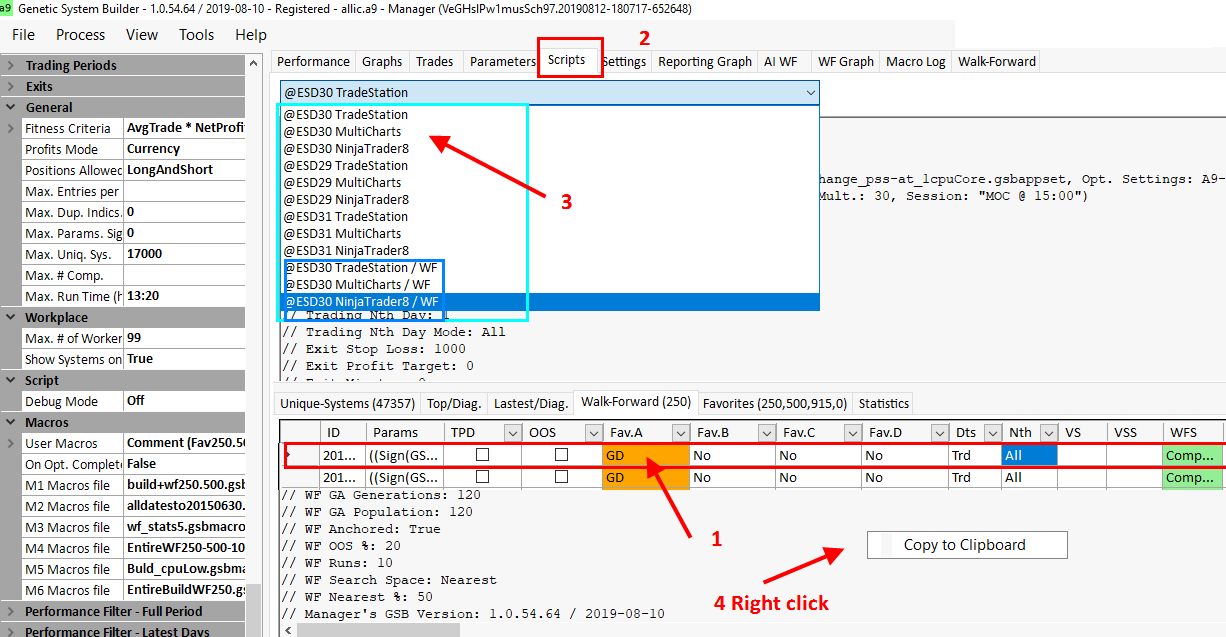
GSB Pro generates optimized, platform-specific code that matches your backtest results exactly.
TradeStation / MultiCharts Example
EasyLanguage
// Entry: RSI oversold with price above MA
if RSI(Close, 14) < 30 and Close > Average(Close, 50) then
  Buy next bar at market;

// Exit on target or stop
SetProfitTarget(500);
SetStopLoss(250);
NinjaTrader Example
C#
// Entry: RSI oversold with price above MA
if (RSI(Close, 14)[0] < 30 && SMA(50)[0] < Close[0])
{
    EnterLong();
}

// Exit targets
SetProfitTarget(CalculationMode.Ticks, 500);
SetStopLoss(CalculationMode.Ticks, 250);
Export & Verification Workflow
- 1
Select your platform
Choose TradeStation EasyLanguage, MultiCharts, or NinjaTrader C#
- 2
Generate code
GSB Pro exports optimized code with proper syntax and structure
- 3
Import to platform
Copy code into your trading platform's strategy editor
- 4
Run verification
Use the included checklist to verify results match GSB Pro backtests
- 5
Paper trade first
Test in simulation/paper trading before deploying to live markets
- 6
Deploy carefully
Start with small position sizes and monitor closely