
GSB Resource Manager
Optimize your CPU and RAM usage across multiple GSB workers, or contribute to the public GSB cloud.
GSB Resource Manager (RM) automatically runs the maximum number of GSB workers that your CPU and RAM permit. It intelligently allocates resources, monitors system health, and optionally contributes your unused computing power to the public GSB cloud for the community benefit.
Key Capabilities
Interface & Configuration
Main Dashboard
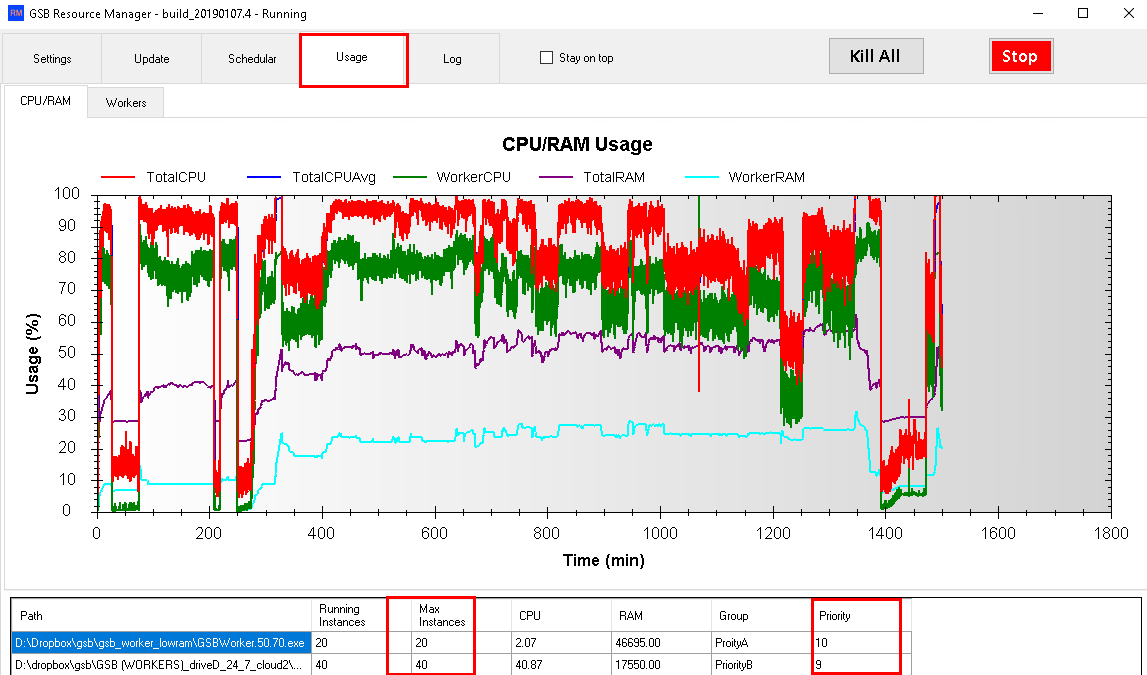
GSB Resource Manager's main dashboard shows active workers, CPU/RAM utilization, and worker status. Monitor real-time performance and adjust settings as needed.
Worker Groups Configuration
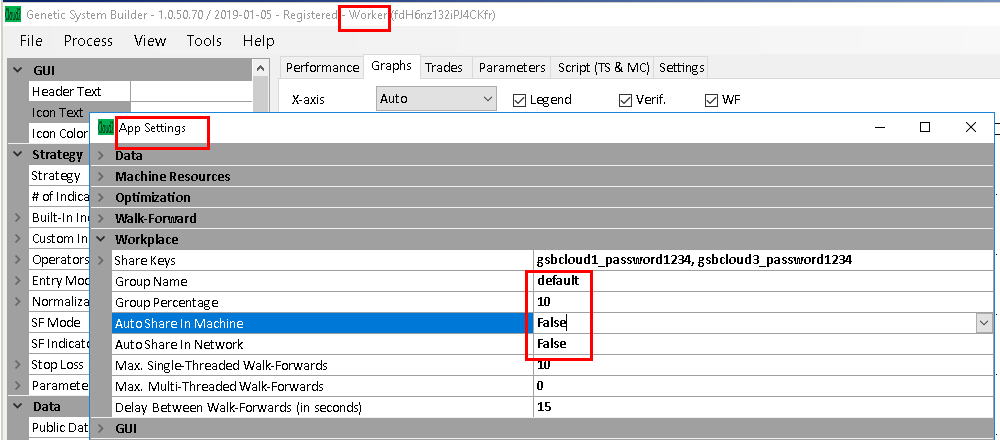
Create multiple worker groups with different priorities. Allocate CPU resources to your personal workers, GSB cloud contributions, and specialized research projects.
Settings & Resource Allocation
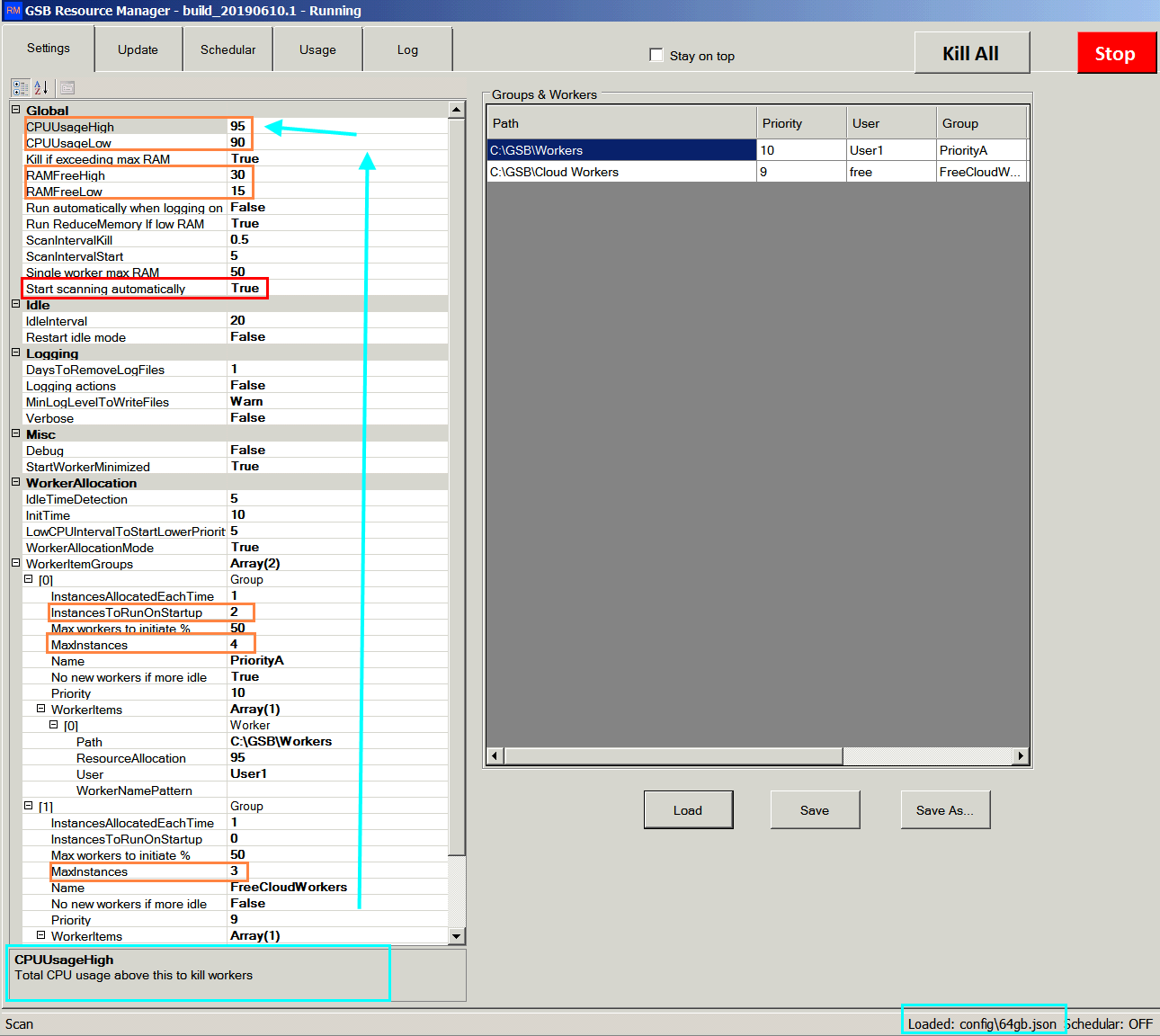
Configure CPU and RAM thresholds, worker limits per group, scheduling for market hours, and automatic updates. Fine-tune resource allocation to match your needs.
Core Features
Auto-Scaling: Automatically starts new workers when CPU and RAM are available, kills workers when resources exceed thresholds
Priority System: Assign priority levels to worker groups. Higher priority workers get resources first; lower priority workers are killed first when resources are constrained
CPU Temperature Monitoring: Monitor CPU temperature and optionally kill workers to keep your machine cool
Multiple Groups: Create separate groups for your machines, cloud contributions, and specialized research
Resource Allocation: Allocate specific percentages of CPU to each group (e.g., 80% to your workers, 20% to cloud)
Per-Group Limits: Set maximum worker instances per group to prevent any single group from consuming all resources
Public Cloud Contribution: Optionally donate unused CPU power to GSB's public cloud. When others use cloud workers, you get priority access when you need it
Usage Tracking: Monitor how much cloud power you're using and donating in real-time
Free Cloud Workers: Access to limited free cloud workers included; premium subscriptions available for guaranteed capacity
Market Hours Scheduling: Automatically kill all workers during market hours to prevent interference with live trading
Boot Startup: Optionally start RM automatically when your computer boots, with workers launching on schedule
Auto-Update: Automatically updates managers and workers to the latest version
Reduce Memory: Optionally force RAM into virtual memory to allow more workers to run simultaneously
RAM Limit Per Worker: Kill workers that exceed per-instance RAM limits (e.g., 50GB)
Detailed Logging: Comprehensive logs show worker start/stop events, resource usage, and system health
Perfect For
- •Heavy system builders: Run dozens of GSB workers simultaneously on machines with high CPU/RAM capacity
- •Cloud contributors: Donate your unused computing power and help the GSB community while earning priority cloud access
- •24/7 workers: Run workers continuously (except market hours) and let RM manage all resource allocation automatically
- •Multi-machine operations: Manage worker groups across different machines and allocate resources strategically
Licensing & Requirements
Who Can Use RM
Free for GSB users who have purchased GSB within the last year or have current software maintenance paid
Trial Period
30-day free trial. Registration numbers required before trial expires
Cloud Worker Pricing
Limited free cloud workers included. Paid subscriptions available for guaranteed computing power when needed