
Scenario
Before building any trading systems, proper setup determines whether your results will be robust or riddled with data mining. Crude oil requires particularly careful configuration because it behaves differently than equity index futures: it responds to different secondary filters, uses different entry types, and requires specific session definitions to avoid false signals from the volatile first trading hour. Skipping the setup phase and using default settings designed for S&P 500 or Nasdaq will produce systems that look great in backtest but fail in live trading. This methodology walks through every setup decision from data import through secondary filter testing to ensure your foundation is solid before building the first system.
Approach
Set up your data streams properly:
• Import crude oil using exchange time (clearer than local time)
• Create Data1: 15-minute bars
• Create Data2: 30-minute bars
• After testing: 30-min usually performs best
• Add verification streams:
- Data3-Data6: 5 ticks of noise added
- Data7-Data10: 10 ticks of noise added
Noise streams filter out curve-fitted systems later.
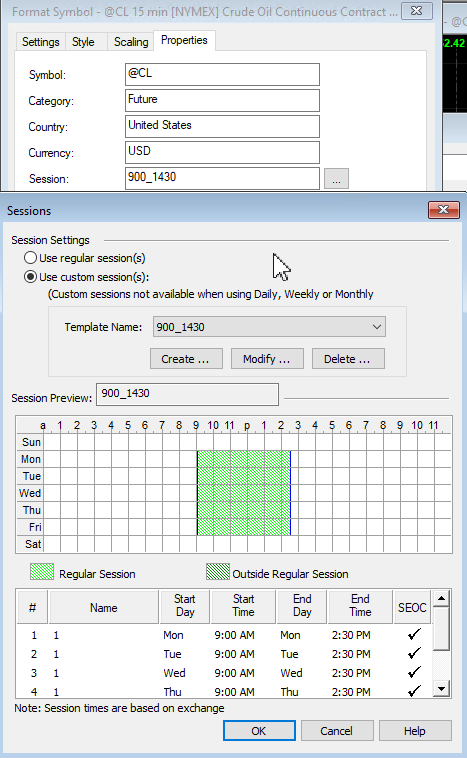
Exchange time import recommended for clarity in session definitions
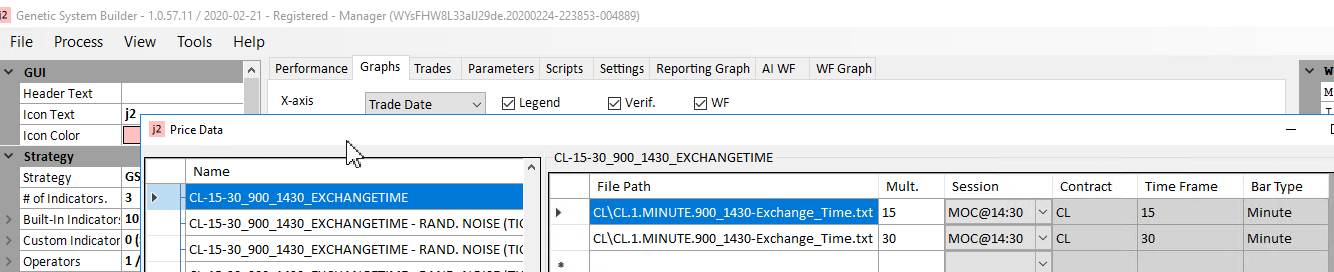
Data1: 15-minute, Data2: 30-minute bars configured in GSB Manager
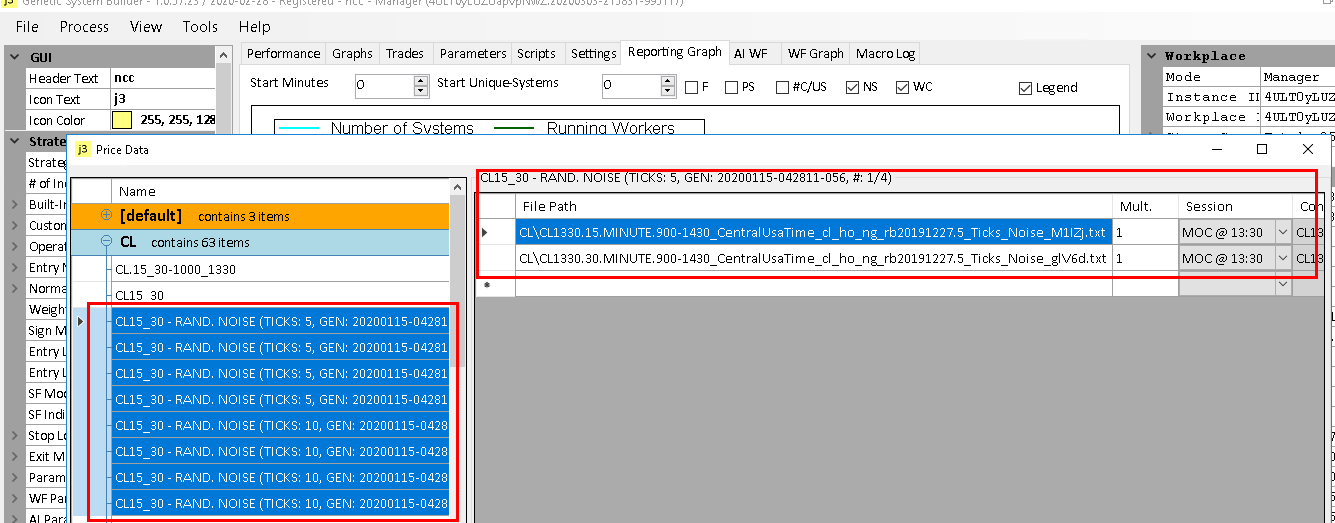
Data3-10: noise-added streams (5 ticks and 10 ticks) for robustness testing
Test which secondary filter works for crude:
• Start with 14 proven crude oil indicators
• Run macro M13 (Group3-M1) for basic settings
• Session: data 9:00 AM - 2:30 PM, trading 10:00 AM - 2:00 PM
• Build 50,000 systems with ALL secondary filters
• Exclude: CloseDminusClose, CloseDminusBPV, CloseDoverClose, Roofingfilter1pole
• Why exclude CloseD family? Stats look good but actual performance poor
This is a critical crude oil insight.
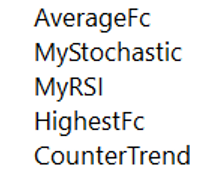
Initial indicator set that works well on crude oil energy markets
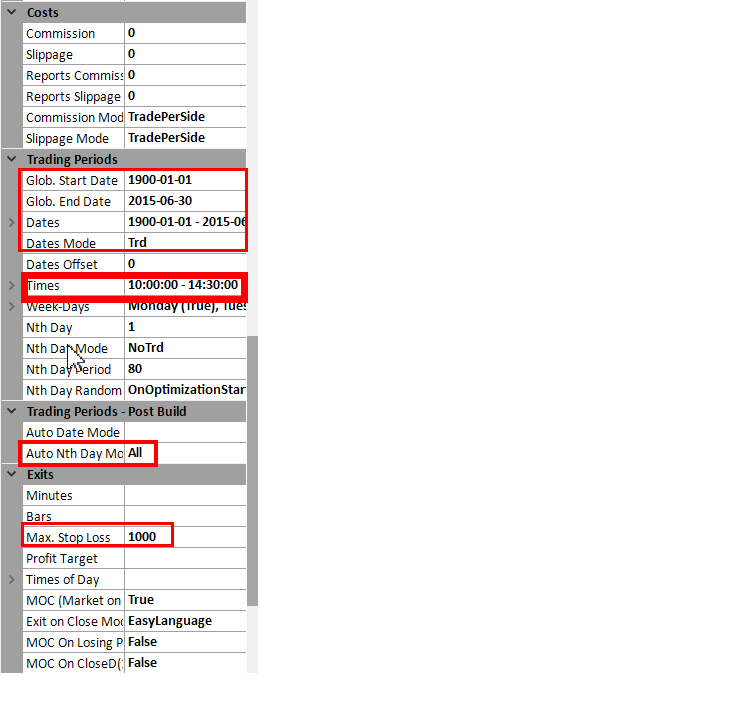
Data 9:00 AM - 2:30 PM, but trading 10:00 AM - 2:00 PM to avoid volatile first hour
Identify the winners:
• Run macro M14 (Group3-M3) for testing
• Build 50,000 systems with ONE filter at a time
• Never combine multiple secondary filters on crude
• Test top 8 filters individually
• Four winners typically emerge:
- CloseLessPrevHighD
- CloseLessPrevLowD
- CloseOverPrevHighD
- CloseOverPrevLowD
• Note: HighLowD and DMI work elsewhere, fail on crude
Find indicators that work with your chosen filter:
• Run macro M15 (Group3-M3) for two-indicator builds
• Build 50,000 systems
• Run Statistics > Save Parameter Performance
• First pass: select green AND orange
• Second pass: rebuild, select ONLY green (7-10 indicators)
• For final builds: turn on all primary filters
• Except: CloseDminusClose and Roofingfilter1pole
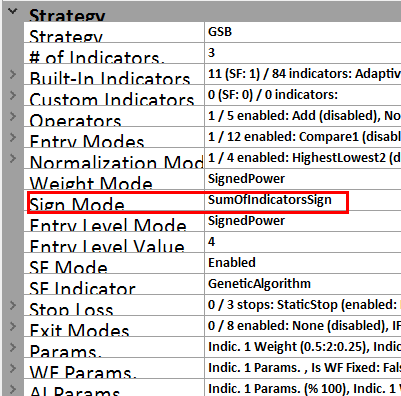
Use SumOfIndicatorsSign mode when building with two indicators
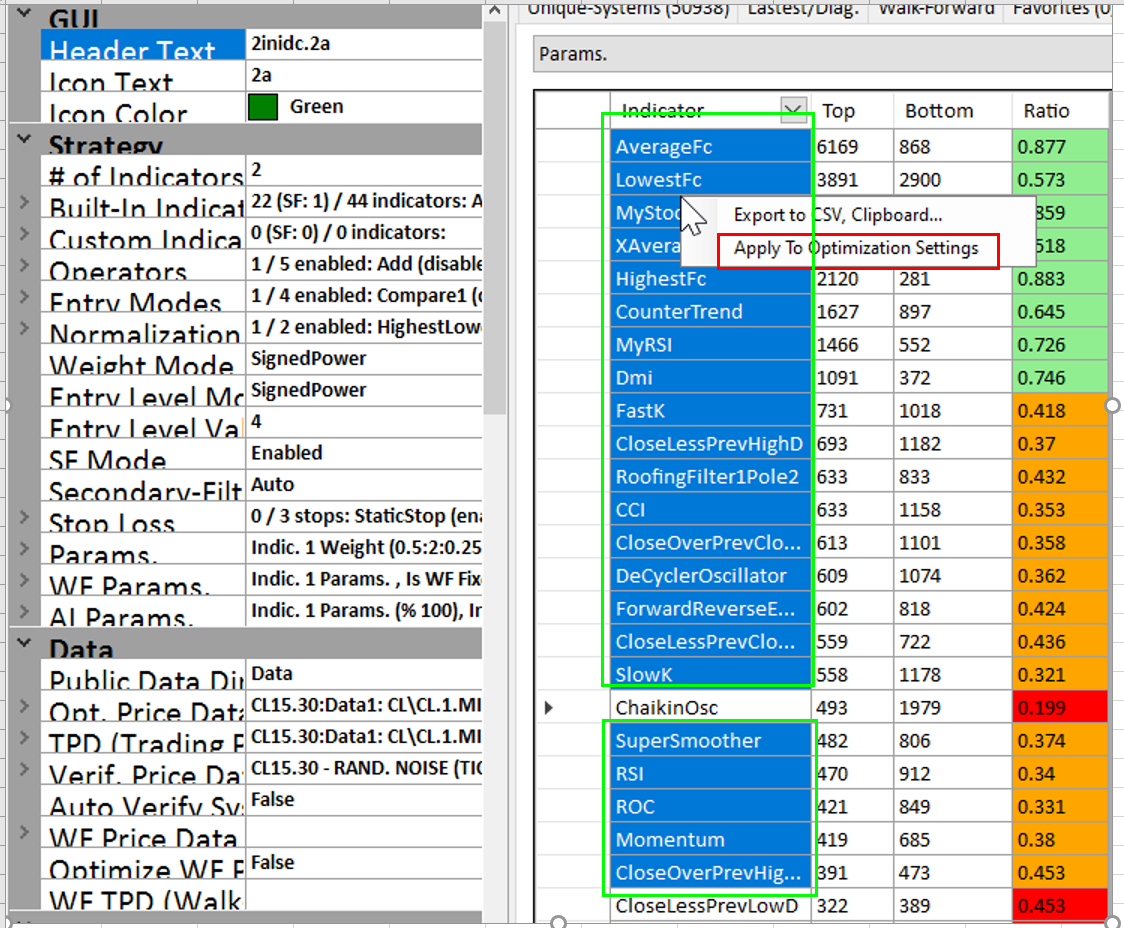
First pass removes red indicators; second pass keeps only green for final builds
Create your trading candidates:
• Build 50,000 systems with optimized settings
• Turn on Opt Complete for automatic processing
• Or manually run macro M1 (Group1) after build
• Run macro M3 (Group1) for statistics
• Run M5 and M6 (Group2) for stability scores
• Create families from top 91 VSS systems
• Top families with consistent member performance = live trading candidates
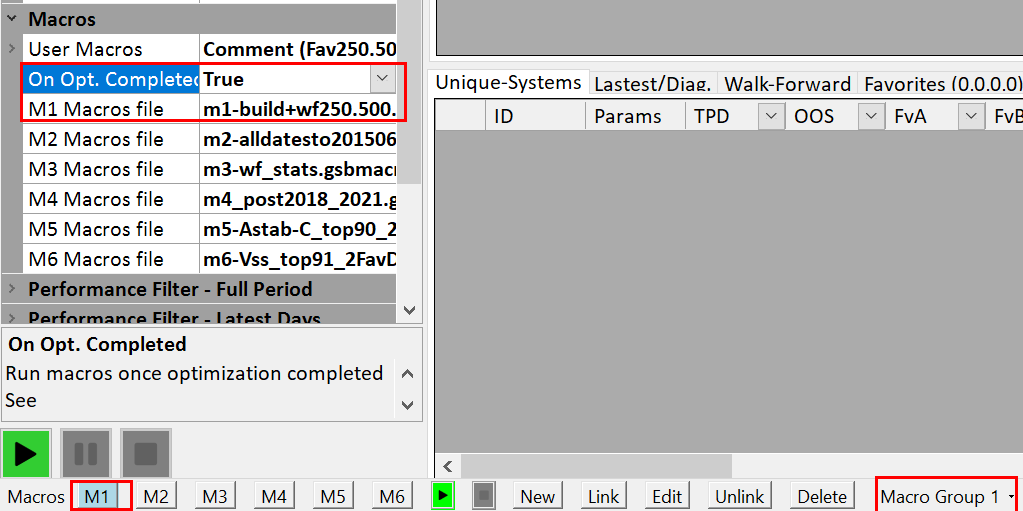
Turn on Opt Complete to automatically process top 250 systems after build finishes
Results & Insights
The setup phase reveals why crude oil requires specialized treatment. The CloseLessPrevHighD/LowD and CloseOverPrevHighD/LowD secondary filters that work best on crude oil are often ignored on equity indices where the CloseD family dominates. The 10:00 AM start time (skipping the first hour) consistently produces more reliable systems than trading from the open—that first hour contains market noise and false breakouts that pollute the optimization process. The two-pass indicator selection catches subtle combinations: an indicator that looks mediocre in isolation might be powerful when paired with specific secondary filters. Systems built with this thorough setup show walk-forward efficiency in the 70-90% range and maintain positive performance through 2019-2020 data (excellent crude oil market conditions).
Key Takeaways
Crude oil requires market-specific settings that differ dramatically from equity index futures
Test secondary filters independently—combining multiple filters on crude oil degrades results
Skip the first trading hour (use 10:00 AM start) to eliminate volatile, unreliable price action
CloseLessPrevHighD family works best on crude oil; CloseD family works best on S&P 500
Noise-added data streams in verification catch over-optimized systems before live trading
Proper setup takes time but prevents months of chasing systems that never worked in the first place
Based on methodology examples from Crude Oil Methodology Setup documentation, used with permission.