
GSB Automation
Automate the complete system-building workflow and dramatically reduce human time and error.
GSB Automation orchestrates the entire multi-pass indicator selection methodology, parameter exploration, and system building process. What normally takes days of manual configuration and CPU time now runs fully automated—from initial indicator discovery through final system validation.
Key Capabilities
Screenshots & Configuration
Automation Overview & Architecture
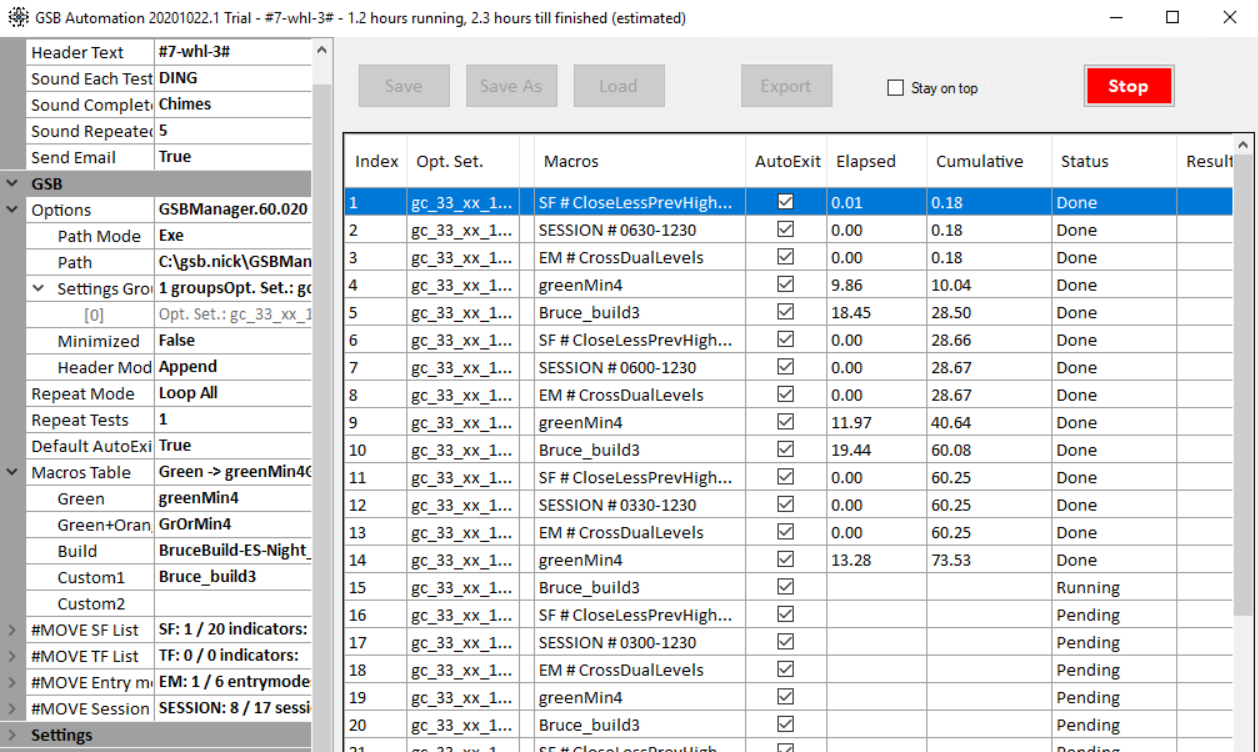
GSB Automation's main interface showing system build progress, worker allocation, and real-time performance metrics. Monitor multiple automation sequences and compare results across different parameter sets.
Settings & Configuration
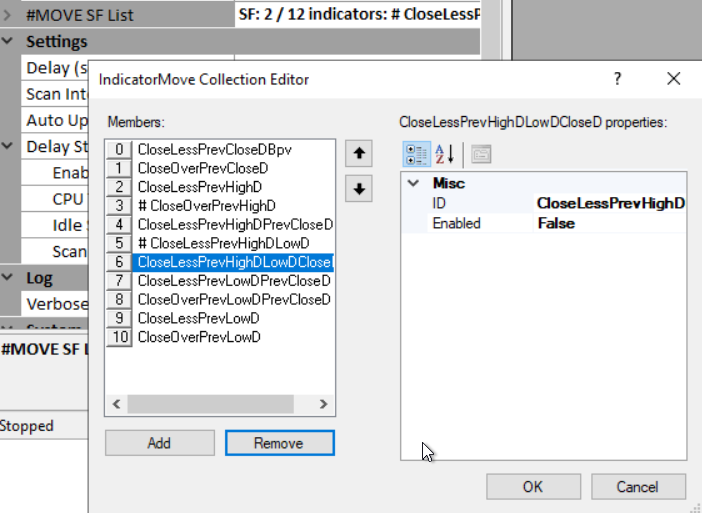
Configure secondary filters, entry types, and other critical parameters that GSB Automation will systematically test. Choose which variations to explore and how many test iterations to run.
Data Setup & Configuration

Initialize your market data, bar intervals, and base GSB settings once. GSB Automation will use these settings across all automated passes and iterations.
The Automated 2-Pass Methodology
What Gets Automated
Session Times
Automatically test different trading hours (e.g., 9:00-14:30 vs. 8:30-15:00) to find optimal entry/exit windows for each market.
Secondary Filters
Test various trend filters (Close vs. CloseD, CloseOverCloseD, etc.) to determine which provide directional edge.
Entry Types
Compare different entry logic (crossover, threshold comparison, etc.) to find what works best for your specific market.
Indicator Selection
Automatically identify which indicators work well before building systems, dramatically improving final system performance.
Specifications & Pricing
GSB Pro Version
58.62 or above required
Cloud Workers
Free limited workers included, paid subscriptions available
Output Format
CSV files with top 250 systems and statistics
Who Should Use GSB Automation?
- •Active system builders: If you're constantly developing new strategies across multiple markets, automation saves enormous amounts of time
- •Methodological traders: Follow GSB's 2-pass methodology and want it fully automated to reduce human error and inconsistency
- •Systematic parameter explorers: Need to automatically test different session times, filters, and entry types to find optimal settings
- •Cloud computing users: Want to leverage GSB's cloud infrastructure for dramatically faster processing without local CPU constraints